


Old Navy: Fashion at a Value!
4.86.73K Reviews
App Specs
- Version
- 18.5.0
- Updated On
- License
- Free
- Downloads
- 1,000,000+
- Developer
- Gap Official
- Categories
- Shopping
- Platform
- Android, iOS
Screenshots
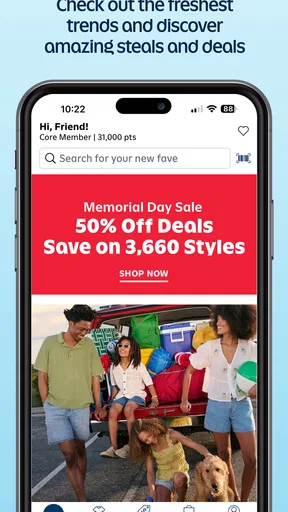
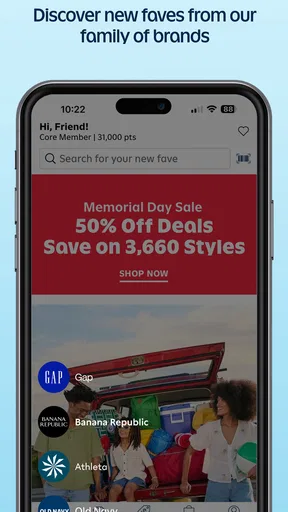
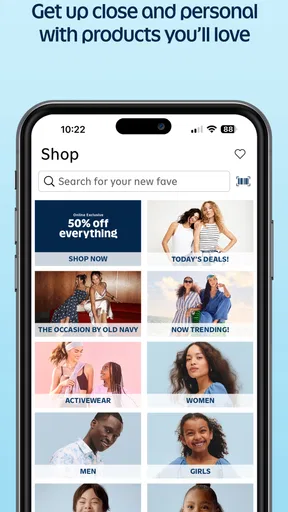
 Analysis by AppCompare
I use Old Navy: Fashion at a Value! most when I have a specific clothing need but want to browse a little before deciding. It’s a shopping app from Gap Official, focused on Old Navy apparel for adults and children. The appeal is practical: I can look across different parts of a family wardrobe in one place rather than jumping between unrelated fashion shops. It is free to install, rated for Everyone, and has a 4.8 average from around 122,000 ratings, so it has clearly found a large audience. Those figures are useful context, but they don’t tell me whether the app fits my habits; the way it handles browsing and decisions matters more.
Browsing Old Navy Without Losing Your Bearings
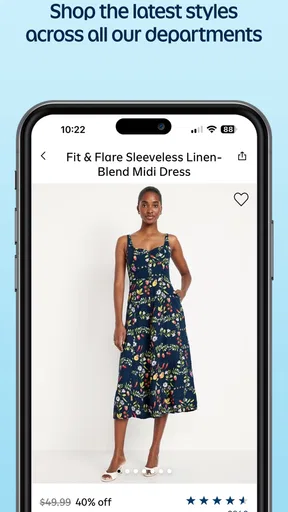
First things first, let's talk about the user interface. You know when an app feels like it's been designed by aliens? Yeah, not this one. The Old Navy app is super intuitive. From the moment you open it, you're greeted with a clean layout. Everything's right there at your fingertips. It's like they knew exactly what I wanted before I even realized it myself.
The menu is straightforward, making it easy to browse through different categories like men's, women's, and kids' clothing. And the best part? The search feature is actually useful. Type in "summer dresses" or "men's jeans," and bam—you're there. I still recommend treating search as a starting point, though: a broad term helps you see the range, while a more specific phrase narrows the hunt when you already know what you need. That small change can make casual browsing feel less like scrolling through a rack and more like a purposeful shortlist.
For everyday shopping, that distinction matters. If I’m replacing jeans, I can begin with the type of item and then compare the options that appear. If I’m browsing for a whole family, switching between adult and kids’ categories keeps the task in one app. It is a better fit for people who already shop at Old Navy or want to check its selection; shoppers who want a broad marketplace across many labels may prefer a general fashion retailer, where comparing brands is the main point.
Shopping Experience Like No Other
Now, onto the actual shopping experience. If you're like me, you love a good deal. Well, this app is packed with exclusive offers and discounts that you'd probably miss in-store. It feels like they’re practically giving away clothes. Okay, maybe not giving away, but you get the idea.
The app also lets you customize your shopping experience. Save your favorite items, create wishlists, and even set alerts for when items go on sale. It's like having your personal shopping assistant, minus the judgmental looks when you buy yet another pair of shoes.
I find saved items most useful as a comparison tool, not just a reminder to buy later. When I’m choosing between a few styles, keeping them together lets me return to the decision without repeating the search. A list can also help when I’m planning purchases for more than one person: I can collect possible choices first, then review them together instead of committing to each item as I discover it. Sale alerts suit patient shoppers who can wait, but they are less helpful if a particular size or color is needed immediately.
Worth Reading Before You Choose

EA SPORTS FC Mobile 26 Is a Bigger Football Game, but It Takes Time

Flipboard Shows What News Apps Must Do Beyond the Feed

Switching to Android Auto Means Rethinking Your Driving Routine

Google Calendar Makes a Crowded Week Easier to Manage

Ludo King Makes the Most of the Minutes Between Plans

Baby Panda World Brings Quick Play to Modern Phones, but Its Game Library Feels Busy
That points to an important trade-off: the app can help me keep track of what I want, but a saved item is not the same as a completed purchase or a guarantee that the choice will still suit me later. I use the wishlist to organize possibilities and make a deliberate decision, rather than treating every alert as a reason to buy. If I mainly want to compare quality, fit, or prices across several clothing brands, I would open other retailers too instead of assuming one shop’s offers are automatically the best value.
Convenient Features for On-the-Go Shopping
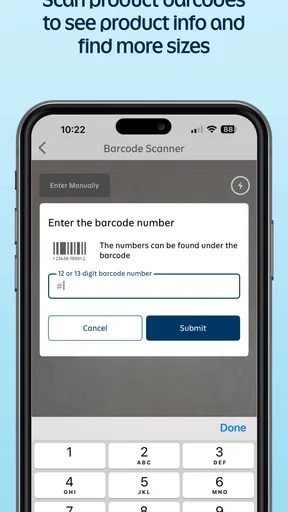
One feature that I found particularly handy is the barcode scanner. Imagine you're in-store, loving a particular item, but not sure if it's cheaper online. Just scan the barcode using the app, and you'll instantly see if you can snag a better deal. It’s like having insider info right in your pocket.
And let's not forget about the "find in store" feature. You can check if the item you want is available at your nearest Old Navy. No more wasted trips! If you’re a fan of seamless shopping experiences, this feature is a total win.
For those features, I’d treat the app as a way to check before acting, not as a reason to assume every store visit will be straightforward. A sensible routine is to scan an item while you’re looking at it, compare the app result with the price and details on the physical tag, and then decide whether ordering or buying in person is more convenient. For store availability, checking before leaving is particularly useful when the trip would take time; a result is a planning aid, not a substitute for confirming what is actually on the shelf when you arrive.
A realistic use case is a last-minute family errand: I can check for a child’s clothing item before heading out, then decide whether it is worth visiting a nearby Old Navy or whether browsing online makes more sense. This is where a retailer-specific app has an advantage over a general shopping app: its in-store tools are tied to the same retailer whose products I’m considering. The trade-off is equally clear—those tools are useful only when Old Navy is already a plausible place to shop, not when I’m trying to compare local stock across different chains.
Keeping Up with Trends
Another thing I love about the Old Navy app is that it's always up-to-date with the latest fashion trends. Whether it's cozy fall sweaters or breezy summer tops, they’ve got it all. And the best part? You don't have to break the bank to keep up with the style game.
The app also provides styling tips and outfit ideas. So if you’re ever stuck wondering how to pair that new blouse you just bought, Old Navy has your back. It’s like having a fashion magazine, but better because you can buy everything you see.
For me, outfit ideas are best used as a prompt rather than a complete answer. I can look at a suggested combination, then check whether the individual pieces make sense for my own wardrobe and the occasion. That is more useful than buying a whole look simply because it is presented together. Anyone with a fixed personal style may prefer to search directly for the item they need; anyone who enjoys browsing combinations may get more out of this part of the experience.
Checkout, Account Choices, and Trust
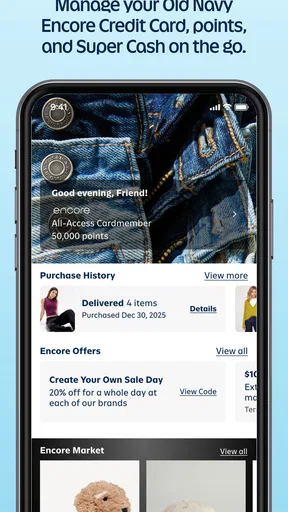
Trust is part of shopping, especially when an app can lead from browsing to a payment decision. Old Navy is a free shopping app from Gap Official, and its current version is 17.9.1. It has passed one million installs, with around 6,500 written reviews. I see that reach as evidence that many people use it, not as a substitute for checking the choices presented on my own device. Before installing or updating, I would look at the permissions request and decide whether each one makes sense for the task I want to do.
Checkout is a breeze, which is a relief because nobody likes a complicated payment process. You can save your payment details for faster purchases in the future. And if you're worried about security, rest easy. They've got all the necessary encryptions in place to keep your info safe.
I’d be more careful with the security assurance in that checkout description: I don’t treat a smooth payment flow as proof of any particular protection. My practical habit is to review the information and payment option shown before placing an order, and to save payment details only if faster repeat purchases are worth the convenience to me. If I prefer not to keep payment information in a retailer account, I can avoid that convenience and enter details when I’m ready to buy, where that choice is offered.
Account controls deserve the same attention as checkout. I would use only the parts of an account that help me manage shopping, and pause before sharing optional information or enabling a device permission that does not seem relevant to what I’m doing. If I’m just browsing, I don’t need to rush into creating a fuller profile or saving details. That approach gives me more control over how much I share while still letting me decide whether the app’s shopping tools are useful.
For a data-sensitive moment, such as shopping on a shared phone or helping someone else place an order, I’d avoid leaving account or payment screens open after finishing. I’d also check that the right person and delivery details are selected before submitting anything. Those are simple steps, but they address a more realistic risk than assuming that a familiar retailer app makes every transaction automatic or error-proof.
As for delivery, it’s pretty swift. You can track your order every step of the way. Plus, if you're as impatient as I am, there's an option for express shipping. Waiting is overrated anyway, right?
Delivery convenience is still only one part of the decision. Before paying, I’d check the order summary, the shipping choice, and the details attached to the purchase rather than relying on a remembered estimate. If timing matters, an express option may be worth considering; if it doesn’t, I’d compare the available choices and pick what suits the occasion. For anyone asking whether this app is the right place to shop, my answer depends on the task: it is a natural choice for Old Navy browsing, but not a replacement for a multi-brand comparison when label, fabric, or fit alternatives are the priority.
Who Will Get the Most From It
I’d recommend the app to someone who already buys Old Navy clothing, is shopping for more than one age group, or wants to check an item in a store before making a decision. It is also a sensible option for a shopper who likes saving possibilities and coming back later rather than making a snap choice. The app is less compelling if you rarely shop at Old Navy, want one place to compare many brands, or prefer to make clothing decisions in person without using a phone at all.
On Android, the minimum operating system is version 11, so I’d check compatibility before planning around the app. The price is free, but that does not mean every purchase is free; it is a shopping tool, not a way to avoid the usual cost of clothing. That distinction sounds obvious, yet it helps set expectations if someone is downloading it because they saw “free” and expects the items themselves to be included.
Old Navy: Fashion at a Value! isn't just an app; it's a full-on shopping experience that makes everything about fashion easier and more fun. Whether you're a seasoned shopping pro or just looking for a new way to update your wardrobe, this app is worth checking out. Happy shopping!
My more cautious verdict is that its value comes from having Old Navy’s browsing and store-oriented shopping tools together, not from promising the best choice for every clothing purchase. I’d use it when I have a clear Old Navy use case, keep saved items as a planning aid, and review permissions, account choices, and the order summary with care. If those habits fit how you shop, it can be a convenient companion; if your priority is comparing different retailers or avoiding app-based shopping, a browser or another retailer will suit you better.
Pros
- User-friendly interface with easy navigation.
- Wide range of clothing options available.
- Regular updates with the latest fashion trends.
- Offers exclusive app-only discounts and deals.
- Smooth and efficient checkout process.
Cons
- Occasional app crashes reported by users.
- Limited customer service response time.
- Some items may show inaccurate stock levels.
- Push notifications can be overly frequent.
- Requires a stable internet connection for browsing.
FAQs for Old Navy: Fashion at a Value!
What is Old Navy: Fashion at a Value! app about?
Old Navy: Fashion at a Value! is a mobile application that offers users access to the latest fashion trends at affordable prices. It provides a seamless shopping experience with features like easy browsing, personalized recommendations, and exclusive discounts. Users can explore clothing options for women, men, and children, making it a one-stop-shop for the entire family.
Is the Old Navy app available for both Android and iOS devices?
Yes, the Old Navy: Fashion at a Value! app is available for download on both Android and iOS devices. Users can find it on the Google Play Store for Android devices and the Apple App Store for iOS devices, ensuring compatibility with a wide range of smartphones and tablets.
Does the app offer any exclusive discounts or promotions?
Absolutely! The Old Navy app frequently provides exclusive discounts and promotions to its users. By downloading the app, customers can gain access to special offers, early sale notifications, and personalized deals that are not available through the website or in physical stores.
How user-friendly is the Old Navy app for shopping?
The Old Navy app is designed with user-friendliness in mind. It features an intuitive interface that allows for easy navigation through categories and products. Users can quickly filter and sort items, view detailed product descriptions, and use the in-app search function to find exactly what they need, making shopping a breeze.
Can I track my orders through the Old Navy app?
Yes, the Old Navy app provides a convenient order tracking feature. Once an order is placed, users can check its status directly within the app. This includes updates on processing, shipping, and delivery, ensuring that customers stay informed throughout the entire purchasing process.


